Showing posts with label Pearl Mountain Technology. Show all posts

Thursday, March 18, 2021

RecordCast Review (Pearl Mountain Technology)


I reviewed RecordCast, in exchange for honest review from Pearl Mountain Technology. Recordcast is a screen sharing, website, which lets you record your screen, Chrome tabs,  and applications. The website also has a built in editor to edit your footage. 

I am a visual person. I also have people, coming to me, for help, with different things. Screen sharing has helped me do tutorials for Microsoft Office; Google Docs; and help me create tutorials for blogging and social media. Maybe someone wants to learn how to create a blog or use Facebook's publishing tools to share (or edit) to Instagram and Facebook. It is hard for me to explain things, at times, and screen sharing, allows me to be more clearer. I definitely don't want to overwhelm people, but I know I do.  

One interesting feature, I recently discovered was it site saves your footage, after usage, if you are logged in. I started using RecordCast, a few months ago, with a simple Google tutorial, but then my computer cracked. I thought I lost the footage, but when my computer was fixed, a few months later, the footage was still there. 

I also discovered, you can record additional footage, while in the editor, to add on additional video. You also can add pre-recorded media and photos. You can use RecordCast as a regular editor as well for your photos and videos without doing a screen recording. 

I also thought about using RecordCast, as a backup to recording my mother's bible studies. The last time, she had a session, I had to use both my phone and kindle to record. I ran out of storage on the phone and had to swap over to the kindle to finish recording. Zoom would not let me record because I don't have a paid account, so I was at a lost how to record, with various issues, popping up. 

I did do a test session with Zoom, solo, to see if it would record, and it did. I also tried Hangouts meets, as well, and it recorded the screen. 

The Editor

The editor allows you to edit footage, in addition to adding text, background changes, and other elements. You also can add overlays for text and decoration. I did have issues with some of the elements. For example, I tried to add one of the Youtube logos and Facebook logos to the end screen. The background cut most of the logo off. I re-did the frame with a different background and adjusted colors. I still had the same issue with the cut-off logos. The purple IG logo did appear fully though. You just have to experiment and figure out what works best for your project. I tried adding other images and some worked well and some had to be resized. 

I did end up finding a Facebook and Youtube logo, which wasn't cut off. The ones with the lighting symbol was the ones, I was having issues with. After some experimenting, I discovered the images, with lighting symbols, appear in playback, for a short period, across the screen. 


RecordCast has static and animated images. 


Once you are done, you can export your project into a 480, 720, and 1080 formats. It does take a minute to export your final files. 


I recommend RecordCast for screen sharing and editing. Let me know what you think. 

Stacie


Friday, January 31, 2020

Design Cap Review (Pearl Mountain Technology)

I reviewed Design Cap, in exchange for honest review. I received a premium account for usage.

The app has amazing templates and font designs, but I had serious issues. First, for premade fonts designs, I had issues editing text. You have to double click on the text to change it. I had issues changing layered font designs. I could edit one layer but struggled to edit the other layers. Even when I click on the 2nd or 3rd layer, it would revert back to the first or try to move other images.

2nd, when I downloaded a simple design, it showed a different image than what I had worked on. For example, I created this for a friend of mine.

When I download a png, I received this image. The original words were still on the screen. I tried hitting save after making a few new changes, but received an error saying " Sorry for some reason, we was unable to save the project. Try again".


I also worked on this image. I had troubles aligning the second layer of text to the first. It took some creative clicking but I was able to fix the misaligned text.

Finally, when I closed out the tab and went back in, none of my design was saved in my designs. I would had to start completely over to redo my work. I would not recommend the app, with the errors, I had. I struggled for hours making two images for an Facebook advice segment. The app is free, if you want to try it and work with it. I will still play with it and update this post if I figure a few things out, first.


Friday, September 20, 2019

FlexClip Review (Pearl Mountain Technology)

I reviewed FlexClip, in exchange for honest review. FlexClip is a video editing program. It comes with pre-built templates; stock images; stock videos; and various fonts and music for your project. It also lets you log in with Facebook.

I struggled with the program, the first few times, I tried to use it. There are limited instructions, so you are on your own. To upload your own photos, there is a button, which if you click on it, says upload. There is also a world button for stock images and videos. To edit text, double click (I clicked multiple times) to get the edit text box to pull up. Two lines of text will appear. Upper text goes on top. Lower text goes on the bottom.

To drag photos and videos down, click on the photo or video, and drag it down.

I created a quick video of my kids, called #thisisautism. The text box would let me type in the hashtag, but the hashtag did not appear in the video.


I wish it connected to Google Photos or my other photo clouds to be able to pull photos and videos quicker. For the project, I had to download each photo/video from Google and upload to the story board. Also, just like any other video editing program, such as iMovie or Premiere Pro, final processing times can vary. The video, I created took a few minutes to final export.
I also had issues with my pc, not loading up the website.

You just have to play around with the fonts, music, stock choices, and your own photos/videos to create, export, and upload a final project.

You can check out the website, using the link above.

Thursday, February 1, 2018

Design Evo Logo Maker Software Review (Pearl Mountain Technology)


I reviewed Design Evo, logo making software from Pearl Mountain Technology. I was not compensated in product or money for the review.

Design Evo is a free logo-making website. The website has both free and premium items. You can design a logo with or without creating an account. If you create an account, you are able to save your creations for future use. You can sign up with your email or connect to Facebook.

I used the software to create the logo for Perfect Chaos. The software was easy to use. It was great going through the different elements and piecing together a logo. You can create a design from scratch or use a premade templates and customize it.

For my logo, I incorporated Perfect Chaos into text. I also added puzzle pieces because my children have Autism. I also added a figure, who is frustrated, because many days, I am frustrated with trying to hold it together as a woman, a mom, a daughter, a friend, etc. I finally put a heart around the whole design. I chose blue as the background for Autism. The blue also popped against all the chosen elements.

With the premade logos, you can choose from different categories, such as food, abstract, sports, fashion, childcare, and medical.

You can choose from different background colors, shapes, fonts, and icons to piece together a logo for your business or even your blog. The icon section has millions of images to search through, using the search bar or popular searches.


Monday, February 22, 2016

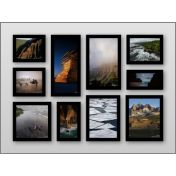
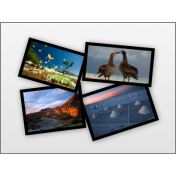
FotoJet Photo Collage Website Review


I reviewed FotoJet, a photo collage website, similar to Canva or PicMonkey.

First, you can sign up for the site, using your email or Facebook. Then, you can choose if you want classic collages or a creative collage. A classic collage is a simple collage. The layouts are grids, up to 16 squares for your photos. You can upload your photos from the computer or Facebook, once you choose classic or a creative collage.

A creative collage is simple collages with a bang. The collages have colorful backgrounds, such as a sofa with the photos seen on the wall or your photos seen on a rubix cube.


You also can play with fonts and background colors.

A neat feature is to check the box, which says keep photos while changing templates. This box is located under the templates. If you do not check the box, you will have to upload the photos again. You also can not save the photos to Fotojet permanently, like Canva. You will have to save the photos and download to your computer.

Next, you place the photos in the collage, you can crop; layer; add an effect; duplicate: rotate and flip; and delete. Under the effects, you can add filters; change opacity; and change exposure. You also can adjust advance options, such as brightness, contrast, saturation, and hue, plus reset everything.

The site is easy to use and free.

Monday, April 13, 2015

Publisher Plus Giveaway (Pearl Mountain Technology)

This post was sponsored by Pearl Mountain Technology. I previously reviewed the product and was asked to do a giveaway.


I previously reviewed Publisher Plus when I had a Mac Book Pro. Publisher Plus is desk top publishing software, similar to Microsoft Publisher. The software comes with many layouts, image styles, and tools needed to design a document.

PMT makes excellent software,many I have reviewed before such as Greeting Box, Collage it Plus, Watermark plus, Pic Light, Video Gif, Pic Gif, and Picture Collage Maker. PMT's software is easy to use. The templates, images, and design tools are built in. You just play with the options until you find the perfect flyer, poster, or other document.


Giveaway

Enter to win-Form for Publisher Plus. 5 winners will be chosen. The product is for iOS only. The giveaway ends 4/20/2015. Perfect Chaos is not responsible for prize fulfillment. 

Wednesday, November 26, 2014

Thanksgiving Offer from Pearl Mountain Technology (Sponsored Post)

This post is sponsored by Pearl Mountain Technology. I will receive software for participation.


Save 65% off CollageIT Pro. From Now until November 30, you can take part in the special offer..

CollageIt Pro allows you to take your photos and create a collage on Windows and Mac. The software comes with plenty of layouts and templates, not to mention you can save your collages in multiple formats.

The software is regularly 29.90 and now on sale for 9.90.


Monday, September 15, 2014

Pearl Mountain Technology Watermark Plus/Picture Collage Maker 3 Review and Pic Gif Giveway

I received WaterMark Plus and Collage It Pro 3 in exchange for honest review from Pearl Mountain Technology. The Software is available for OS X and iOS on Macs.

WaterMark Plus

First, Watermark Plus allows you to take your photos and add a text or picture based watermark to the image(s). The software took a minute to figure out but eventually, I got the hang of the software. 

You can use the software to watermark your photos from theft, for example. You can add your copyright information to the photos. 


Picture Collage Maker  3

The Picture Collage Maker 3 allows you to make photo collages using your photos on your computer.I used my vacation pictures to create the collages for the review. I tried to make collages with other online software, but the process took too long to upload pics. Then, inspiration hit, use Picture Collage Maker.

I can use the photos in the iPhoto folder from the vacation. I can see all the pics in the side window and pick out the best ones to use in the collage.

You also can create photo books, scrapbooks, and posters. You  also can share your photos to social media.


Pic Gif Giveaway

Enter to win Pic Gif Software from Pearl Mountain Technology. Giveaway ends September 29th, 2014. Check out the Gif, I made earlier last year of my daddy dancing 

Other Pearl Mountain Technology Reviews: 

Publisher Plus
Greeting Box
Video GIF
PicGIF
Collage It Pro

Tuesday, June 17, 2014

Pearl Mountain Technology Publisher Plus Review

Disclaimer: I received a copy of Pearl Mountain Technology's Publisher Plus software. I received a code for redemption in the App store. All opinions are my own. No other compensation was provided.


 Product Review

I received a copy of Pearl Mountain Technology's Publisher Plus software. The software is available for Mac OS. The software has similarities to Microsoft Publisher or the templates in Microsoft Word. The software allows you to create flyers, brochures, and other documents. I saw some new templates such as a child care flyer or a job posting, which was very neat :-).

The software was easy to use. You just have to play around it with. Some features were a little harder to find and adjust, but I figured it out. Add your own images. Adjust the backgrounds, colors, and clip art. I created a birthday card for my great-niece, who turns 2 this weekend.


Video Review (Editing Phase. Will provide once finished). Show the process I used to create the birthday card. 

Friday, March 28, 2014

Pearl Mountain Technology Video GIF Review (Tomoson)

Disclosure: I got this product as part of an advertorial.


I reviewed Video Gif in exchange for honest review from Tomoson. The program allows you to turn your previously created videos into GIFs. You also can use the webcam to create new videos.

After your video appears, you can add text. With text, you can modify the colors, fonts, sizes, and shadows. You can choose which section of the video to use as a Gif.

Next, you can add effects to your video, such as Black and White: Vintage, and Marcato. You also can adjust frame count and frame delay.

When you are done creating, select the button, which says create gif, and your video will finalize.


Pros:


I made cute videos of my kids and great niece. I added text. I played with the frame counts and delays. The program was easy to work, when I used the webcam to record videos.


Cons:


One of the biggest problems I had was uploading my own videos. When I uploaded, the video would not appear on the screen. I could hear the video, but not see the video. The program worked best when I used the webcam to record videos.

Video Gif is available in the App Store for Mac OS 10.7 and higher computers and laptops. Currently the video is 4.99.

Social Media


I received one or more of the products mentioned above for free using Tomoson.com. Regardless, I only recommend products or services I use personally and believe will be good for my readers.

Thursday, November 28, 2013

CollageIt Pro Review from Pearl Mountain Technology (Tomoson)


I reviewed CollageIt Pro for iOS for a Tomoson Campaign. CollageItPro was developed by Pearl Mountain Technology. I have previously reviewed CollageIt 3 Pro for iOS and Collage It for PC. The program allows you to customize your photos into a beautiful collage. You can choose from different layouts and layout sizes. You can add up to 200 photos. Next, you can choose the background colors and image effects. I created a simple one from the photos, I took today. This is the baby collection. My youngest; my niece's friend's baby; and my niece's friends's mom's friend's baby. I love babies, as you can tell. :-)

One feature I love is I can share my collage to Facebook. I also can send the photos to iPhoto.

Social Media:

Pearl Mountain on Facebook

I received one or more of the products mentioned above for free using Tomoson.com. Regardless, I only recommend products or services I use personally and believe will be good for my readers.

Wednesday, October 30, 2013

Pearl Mountain Technology CollageIt 3 Pro Free from the App Store (MAC OS users) CONTEST


I reviewed Collage It Pro for the PC a few months ago. I installed the app on my other laptop (which needs repairing and created beautiful art for my Facebook Fan Pages. Now, I have a Mac Book Pro, given by my school.

CollageIt 3 Pro was developed by Pearl Mountain Technology. CollageIt 3 Pro is now available in the MAC store for free until October 31st (Link to App). The app helps you create photo collages using Mac OS X.


I provided two photo collages, I made with the PC program and a sample, I made with the Mac App. The free version does not provide all the upgrades, but you can still create a beautiful collage. I loved how you can add text to your photos, in addition to using a gradient as a color for your photos.


Some of the features include:

  1. Random Layout. You can drag and drop your pictures and use random layout to generate an automatic layout
  2. 45 new templates and 4 collage styles. The styles include Mosiac, Grid, Center, and Pile.
  3. Export and Share options. The PC version had an export to Facebook option, which I loved. 
  4. The ability to add backgrounds, photo effects, text effects, and borders.
  5. Use "free mode" to resize, move, and rotate photos. 

Get the app now in the App Store (Link to App) before the price goes back up to $29.99

Contest: 

Pearl Mountain Technology is holding a contest for CollageIt 3 Pro


I received one or more of the products mentioned above for free using Tomoson.com. Regardless, I only recommend products or services I use personally and believe will be good for my readers.

Sunday, April 21, 2013

Collageit Pro Giveaway for Mothers Day


I won a giveaway from Pearl Mountain Technology (Facebook Fan Page) for Mothers' day. The company is also on twitter and flickr . The product is Collageit Pro. The entry form is below the product information. The contest will giveaway 9 PC license codes and 8 Mac Codes.


About the product:

CollageIt Pro allows people to scrap book, create photo albums, and create posters. The software works on Mac and Windows.

Some highlights of the product from Tomoson/Pearl Mountain Technology:

  • You can add photos to a collage. You can also use "Random Layout" to create an customized, collage automatically. You can also export and share your collage
  • You can use different layouts and templates
  • You can crop photos, adjust photo numbers, photo space, page margin, rotation, sparse, borders, and shadows. 
  • You can save collage as a image file; set as desktop wallpaper; share through email; and print
  • The product is also available in the Itunes App Store


I received one or more of the products mentioned above for free using Tomoson.com. Regardless, I only recommend products or services I use personally and believe will be good for my readers.